Maryland myMVA Services: What Drivers Can Handle Online
myMVA can save a trip for Maryland drivers, but it is not always obvious which license tasks can be completed online or whether a particular transaction is available to you. Here’s what drivers can handle through myMVA, what to check before starting, and when an online task may need another route.
What Maryland myMVA Services Offer
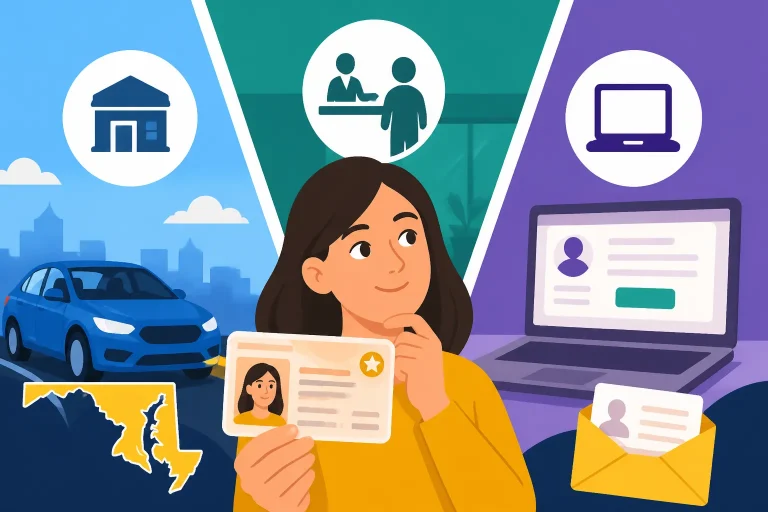
myMVA is the Maryland Motor Vehicle Administration’s online service platform. It brings a range of driver and vehicle transactions together, so some tasks that might otherwise require an office visit can be started or completed online. The MDOT Motor Vehicle Administration says More than 60 transactions can be completed online via myMVA Online Services.
For drivers, the listed options include license and ID renewals or replacements, address updates, learner’s permit applications, driving-test scheduling, and driving-record orders. The MDOT Motor Vehicle Administration describes these services as letting drivers renew or replace a license or ID and handle several other common driver tasks through myMVA.
That menu is useful, but it does not mean every driver can complete every task online. Eligibility can depend on the transaction, the information on your record, and any instructions or notices from the MVA. Renewal is a clear example: the MDOT Motor Vehicle Administration says online renewal is available only if your renewal notice says you’re eligible.
A practical way to think about myMVA is as a starting point for an eligible online transaction—not a guarantee that every situation can be resolved without follow-up. Some tasks are straightforward when your details match the information the MVA has on file. Others may require you to confirm a document, address, or eligibility condition before the online service can proceed.
What the online service can and cannot tell you
The available transaction menu tells you which tasks the MVA supports online. It does not, by itself, determine whether your particular record qualifies for a specific service. For that, use the instructions attached to the transaction and any notice the MVA sent you.
If an online service is unavailable, do not assume that the transaction itself is impossible. It may mean your situation needs a different method or additional review. For license renewal, compare the available options in Which Maryland Driver’s License Renewal Method Can You Use? and check the eligibility conditions in Who Is Eligible to Renew a Maryland License Online via myMVA?.
Before you begin, be clear about the outcome you need. Renewing a current license, replacing a missing card, correcting an address, applying for a learner’s permit, scheduling a test, and ordering a record are different transactions. Choosing the one that matches your goal helps you avoid entering information in the wrong part of the service menu.
Keep official transactions on the official channel
When you complete an application, renewal, appointment booking, order, or payment, use the official MVA service. An independent guide can explain what to expect, but it is not the agency and cannot process an MVA transaction for you.
If the instructions indicate that you must visit an office, use the MVA’s official office locator to find a nearby branch and check its current hours. A planned visit can be more efficient when you know what transaction you need and have reviewed the official document requirements first.
Renewing or Replacing a License or ID
License and ID services are among the most useful myMVA options because they address two common needs: keeping an existing credential current and getting a replacement when a card is lost or damaged. The route you can use depends on the specific transaction and your eligibility.
License renewal is conditional
A driver should not assume that an online renewal is available just because myMVA lists renewal services. According to the MDOT Motor Vehicle Administration, online renewal is available only if your renewal notice says you’re eligible. If the notice says you are not eligible, or you do not have a notice confirming eligibility, check the MVA’s instructions before attempting the transaction.
Your notice can also help you identify what kind of renewal you need. Read it closely for the method it permits, any required action, and any information you may need to confirm. If the online route does not fit your situation, the MVA may direct you to another renewal method. The details can differ from one driver’s record to another.
For a step-by-step look at the online process and its eligibility limits, see How to Renew Your Maryland Driver’s License Online. If the portal does not allow you to proceed, Reasons Maryland MVA Blocks Online Driver’s License Renewal can help you think through possible next steps. A restriction or system message is a reason to check the official instructions, not to keep submitting the same request without understanding what needs attention.
Replacement is different from renewal
A replacement is generally the relevant task when a card is missing, stolen, or damaged and the driver is not trying to renew it. The distinction matters: choosing a renewal option when you need a replacement, or vice versa, can send you into a process that does not match your goal.
The MDOT Motor Vehicle Administration lists license or ID replacement among the services available through myMVA. Before you start, decide whether you need a replacement card, a renewal, or a change to information shown on the credential. If more than one issue applies, review the MVA’s instructions to see whether it directs you to handle them together or in a particular order.
If your license is lost or stolen, How to Replace a Lost or Stolen Maryland Driver’s License Online focuses on the replacement route. If the card may have gone missing in the mail after an order, that is a different issue; an existing transaction and a new replacement request should not be treated as interchangeable.
IDs have their own requirements
myMVA’s listed services include ID transactions as well as driver’s licenses, but the fact that an online service exists does not mean every ID applicant qualifies for it. The right route can depend on what you are doing and what the MVA requires for your record.
If you are applying for a state ID rather than renewing or replacing a driver’s license, review Maryland State Identification Cards: Eligibility and Application. That information can help you distinguish a driver credential transaction from an ID application and prepare for any separate requirements.
For a driver who needs to renew, replace, or update a credential, it is also worth checking what information appears on the card and whether it needs to be corrected. A replacement does not necessarily solve a separate address or identity issue. Treat each change as its own question and follow the MVA’s instructions for the combination of tasks you need.
Updating Your Address and Other Information
myMVA can be used to update information such as your address. That can be convenient when you have moved, but it is important to distinguish updating a record from requesting a new physical card.
Update the record before ordering a card
If your address has changed, confirm that the address update is the task you need before you order a replacement credential. A replacement-card request and an address update are related, but they are not necessarily the same transaction. If the information in the MVA’s record needs to be corrected first, starting with the card order may not address the underlying issue.
The MVA’s online service list includes address updates. Before submitting one, check the instructions for what information the service asks you to provide and whether the change affects a credential order. Make sure the details you enter are accurate and consistent with the information the MVA requests.
If your goal is to receive a replacement card at an updated address, read Updating Your Address Before Ordering a Duplicate Maryland License. It explains why the order of those steps can matter. For questions about having a separate mailing address and residential address, Mailing Address vs Residential Address on a Maryland Driver’s License may help clarify which address you need to update.
Do not guess about information requirements
An address change seems simple, but a mismatch between your record and the information entered can delay or prevent an online transaction. Use the address and identity details requested by the MVA, and do not enter a different version just to make a form accept it. If the service cannot match your information or asks you to verify something, follow the official directions rather than repeatedly changing entries.
Some drivers may have more than one information change to make, such as an address update and a credential replacement. The online menu can help you identify the available transactions, but it may not answer whether you should combine them or complete them in a particular order. Read the service instructions for each step and keep a note of what you have submitted.
An address update also does not automatically answer questions about a license’s REAL ID status. If that status matters for your next step, check it separately using How to Check if Your Maryland Driver’s License Is REAL ID Compliant. Keeping your record current and confirming the credential’s status are related but distinct tasks.
Be precise about what “update information” means
The MVA’s service description specifically includes updating information such as your address. Avoid assuming that every kind of correction can be made through the same online option. A legal name change, correction of a record, or another change to personal details may have separate document and review requirements.
If you need a change beyond an address update, look for the MVA instructions specific to that change. The relevant process may require supporting documents or a visit, and the online menu may not be the right place to resolve it. Starting with the exact change you need makes it easier to identify the correct service and avoid an incomplete request.
Applying for a Learner’s Permit and Scheduling a Driving Test
myMVA can support learner’s permit applications and driving-test scheduling. These services are especially useful when you are moving through the licensing process, but it helps to separate preparation from the transaction itself.
Applying for a learner’s permit
The MDOT Motor Vehicle Administration includes applying for a learner’s permit among the tasks available through myMVA. That does not mean a permit application is the same as a complete license application. A learner’s permit is one part of the process, and applicants still need to meet the MVA’s requirements for their situation.
Before starting, identify the kind of application you need and read the MVA’s current instructions. Applicants can differ by age, previous driving experience, and other circumstances, so do not rely on a checklist meant for someone else. Gather the information and documents the official instructions specify, and make sure you understand whether the online service is an application step, a scheduling step, or both.
For a broader overview of the licensing path, see Guide to Getting Your Maryland Noncommercial Driver’s License. If you are at the permit stage, How to Schedule the Maryland MVA Learner’s Permit Test covers the separate question of arranging a required test. Keeping application, study, and testing tasks distinct can make the process easier to track.
Scheduling a driving test
The MDOT Motor Vehicle Administration also lists driving-test scheduling as an online service. Scheduling is an administrative step; it does not replace preparation for the test or confirm that you meet every prerequisite. Before choosing an appointment, make sure you are using the correct test type and have completed any steps the MVA requires before booking.
If the appointment options or instructions are unclear, use the MVA’s official scheduler information. The test type matters because different applicants may be booking different kinds of examinations. Choosing the closest-sounding option without checking could result in an appointment that does not match your licensing stage.
For help selecting the right appointment, see Choosing the Right Appointment Type on the myMVA Scheduler. If you are preparing for a road test, review Checklist of Documents for Your Maryland Driving Road Test so that scheduling and test-day preparation do not get mixed together.
Keep your own progress notes
When you are working through a permit or testing process, it can help to keep a simple record of what you have completed: the task, the date you submitted it, any confirmation shown by the service, and what the MVA says should happen next. This is a personal organization tip, not a substitute for an official status check or confirmation.
Save or print any confirmation the official service provides, if available, and keep any appointment information where you can find it. If a requested action does not appear to have gone through, check the official account or service instructions before submitting a duplicate request. A second submission may not be the right fix if the first one is still pending or if an eligibility condition has not been met.
Ordering a Maryland Driving Record
The MDOT Motor Vehicle Administration lists ordering a driving record as a task drivers can complete through myMVA. A record can serve different purposes, so it is worth identifying what kind you need before placing an order.
Confirm the record type and purpose
Start by asking who needs the record and what it will be used for. The requested record may need to meet a particular requirement, and an order that does not match that requirement may not be useful. Check the instructions from the organization or person requesting it, then compare those instructions with the options provided by the MVA.
The online listing establishes that a driving-record order is available through myMVA; it does not mean every record type is identical or accepted for every purpose. If the MVA presents choices, read their descriptions carefully. When an outside organization has given you a specific requirement, do not substitute a different record simply because it is the first option shown.
For more detail on ordering records through the online account, see Ordering Certified Maryland Driving Records Through Your myMVA Account. That information can help you understand what to check before completing an order and how to distinguish a certified record from another record option.
Check the details before you submit
Review the identifying information associated with the request before placing it. A record order needs to correspond to the correct driver, and a typo or mismatch can create confusion. If you find an error in your license information, consider whether the information itself needs to be corrected before relying on a record for an important purpose.
Be mindful of whether you need a record for yourself or are requesting it for another reason. Follow the MVA’s rules and prompts about who may request the record and what information is required. Do not assume that access rules are identical for every record or every requester.
After submitting an order, follow the instructions shown by the official service. If a confirmation or status is provided, use that information to understand what happens next. If there is no clear answer about delivery or processing, check the MVA’s current guidance rather than relying on a general estimate from an unrelated service.
Choosing an Online Task or Another MVA Route
myMVA is most useful when the transaction you need is listed, your situation fits the stated eligibility conditions, and you can provide the information the service asks for. If any of those parts are unclear, pause before submitting. A short review can help you avoid beginning the wrong transaction or assuming that an online request has resolved an issue it does not cover.
A practical pre-start check
Before using myMVA, work through these questions:
- What result do I need? Decide whether you are renewing, replacing, updating information, applying for a permit, scheduling a test, or ordering a record.
- Is that task listed? Check the MVA’s official online-services menu rather than assuming a related transaction covers it.
- Does the service say I am eligible? For renewal, follow the notice-based eligibility condition described by the MDOT Motor Vehicle Administration.
- Do I have the requested details? Have the information or documents identified by the official instructions available before you begin.
- Will this change update the card, the record, or both? If that is not clear, check the service description before proceeding.
- What confirmation should I expect? Read the instructions for what the service shows after you submit, and keep any confirmation it provides.
This approach is especially helpful when several tasks overlap. A driver who moved and needs a replacement card, for example, should consider whether the address record needs to be updated before placing the card order. A driver who needs a test should distinguish booking an appointment from completing the preparation required for the test.
If the online service does not work
If myMVA will not let you proceed, first read the message or instruction carefully. It may identify an eligibility restriction, a missing detail, or a different route. Avoid repeating the same submission without addressing the issue, and do not assume that a technical-looking problem is proof that the transaction was accepted.
Then check whether the service is the right one for your need. A renewal request will not necessarily resolve an address mismatch, and a replacement request will not necessarily correct information on the underlying record. If the transaction is correct, use the official MVA guidance for the next step.
If the service indicates that you need an in-person visit, use the official MVA office locator to find the appropriate branch and check current hours. Review the document requirements before going. An office visit may take more planning than an online transaction, but it is the appropriate route when the MVA directs you to present information or complete a task in person.
Keep expectations realistic
Online access can reduce unnecessary travel, but it does not remove every decision or requirement from a driver’s transaction. Some services are available online only to eligible users. Some require you to follow a notice or specific instructions. Others may be simple to submit but still involve processing after submission.
It is also useful to separate what the portal can do from what it cannot promise. A listed service means the MVA offers an online way to handle that category of task; it does not promise instant completion, immediate delivery of a card, or approval of an application. Use the service’s own instructions to understand the next step and timing.
For broader information about completing MVA tasks online or in person, Maryland MVA Service Channels: When to Visit, Use Kiosks, or Go Online can help you compare the types of service routes. If you are uncertain whether your renewal must be handled in person, review When Does Maryland Require an In-Person License Renewal Instead? before planning your next step.
Frequently Asked Questions
Can every Maryland driver renew a license through myMVA?
No. The MDOT Motor Vehicle Administration says online renewal is available only if your renewal notice says you’re eligible. Check the notice and the MVA’s instructions before starting.
What driver tasks can I handle through myMVA?
The MDOT Motor Vehicle Administration lists license or ID renewal and replacement, address updates, learner’s permit applications, driving-test scheduling, and driving-record orders among its online services. Availability for a particular transaction can depend on its requirements.
Can I update my address and order a replacement card at the same time?
The available services include address updates and credential replacement, but the correct order depends on your situation and the MVA’s instructions. Check whether the address record should be updated before you place a replacement-card request.
Does scheduling a driving test mean I have completed the licensing requirements?
No. Scheduling is a separate task from meeting the requirements for a test and preparing for it. Confirm the right test type and review the MVA’s instructions for your licensing stage.
What should I do if myMVA does not offer the transaction I need?
Check the official MVA instructions for that specific task. If they direct you to an office, use the MVA’s official office locator to find a branch and verify its current hours before visiting.
Sources
- MDOT Motor Vehicle Administration — Licenses & IDs | MDOT Motor Vehicle Administration (checked November 11, 2026)
- MDOT Motor Vehicle Administration — Licenses & IDs (checked November 11, 2026)
Disclaimer
This article is for general informational purposes only and does not constitute professional advice. Laws, prices and regulations vary by location and change over time. Consult a qualified professional for guidance on your specific situation. Maryland Driver Guide is not a government agency and is not affiliated with any state motor vehicle department.